The short version: YouTube Studio will show you a rough, free signal under Analytics, but to see the actual list of sites linking to a specific video, you need to treat the video's URL exactly like you'd treat any other web page, and run it through a real backlink tool like Ahrefs, SEMrush, Moz, or Ubersuggest. Below is the full breakdown, the free method, the real method, what the numbers actually mean once you have them, and one warning that will save you from wasting money on tools that do not do what they claim.
What A YouTube Video Backlink Actually Is
A backlink to a YouTube video is any link on another website that points directly to that video's URL, the full youtube.com/watch?v= link, not just a mention of your channel name or a screenshot of your thumbnail with no clickable link attached. If a blog post embeds your video or links out to it in text, that's a backlink. If someone just says "check out this creator" without a link, that's a mention, not a backlink, and it will not show up in any of the tools below.
This distinction matters because a lot of people conflate "getting talked about" with "getting linked to." Only the second one is something you can actually measure and track.
Do Backlinks Actually Matter For YouTube Ranking? (Be Honest About This One)
Here's the part most articles on this topic gloss over, and it changes how much effort backlinks deserve relative to everything else.
YouTube's own internal search and recommendation system runs primarily on watch time, click-through rate, and session data. How long people stay, whether they clicked in the first place, whether YouTube kept them on the platform afterward. Backlinks are not a major direct input into that internal algorithm the way they are for a traditional Google web search ranking.
Where backlinks genuinely matter is Google Search itself, not YouTube's internal engine. If you want your video showing up in the actual Google search results page, in the video carousel, or ranking on page one for a search term, Google treats that video URL closer to how it treats any other web page, and backlinks are still one of the signals it weighs there. On top of that, a backlink that actually gets clicked sends real people to your video, and that referral traffic feeds directly into the watch time and engagement numbers YouTube's internal algorithm does care about. So backlinks matter, just indirectly for YouTube itself and more directly for Google Search visibility.
Translation: chase backlinks because they get you found on Google and because they send real traffic, not because you think YouTube's algorithm is counting them like a popularity contest.
The Free Way To Check: YouTube Studio
Open YouTube Studio, go to Analytics, then the Reach tab, and look at Traffic Source: External. This shows you which outside websites are actually sending viewers to that specific video, ranked by how much traffic each one delivers.
This is not a complete backlink list. It only shows sources that sent someone who actually clicked through, so a backlink sitting on a page nobody visits will not show up here at all, even though it technically exists. Think of this as your "which backlinks are actually working" report, not your "which backlinks exist" report. It is free, it is built in, and it is the first place to check, but it is not the full picture.
The Real Way To Check: Treat The Video URL Like Any Other Web Page
Here's the actual method. Copy the exact URL of the video you want to check. Then open a standard backlink checking tool, the same kind of tool used for auditing any regular website, and paste that video URL into it instead of a domain name.
Tools that work for this
- Ahrefs. Open Site Explorer, paste the video URL into the search bar, and go to the Backlinks report. Ahrefs treats the YouTube URL as a page like any other, and it will show you the full list of referring domains, individual linking pages, and the anchor text used. It also has a free backlink checker for a quick, limited look if you don't have a paid account.
- SEMrush. The Backlink Analytics tool works the same way. Drop in the video URL and pull the report. It will show you referring domains, authority scores for those domains, and anchor text distribution.
- Moz Link Explorer. Similar process, and it is a clean option if you want to compare backlink counts across a few of your own videos or a competitor's, since Moz's interface makes side-by-side comparison fairly easy.
- Ubersuggest. The most beginner-friendly, budget-conscious option of the group, with a usable free tier. Paste the video URL in and you will get linking domains and anchor text without needing an enterprise-level subscription.
Any of these will do the job. The important part is not which specific tool you pick, it is understanding that a YouTube video URL is just a URL, and every one of these tools is built to analyze URLs, not just domains.
A Quick Manual Check Anyone Can Do For Free, Right Now
If you don't want to sign up for anything yet, there is a rough manual method. Search Google using the exact video URL wrapped in quotation marks, or search the exact video title in quotation marks. This surfaces pages Google has indexed that reference the URL or title directly.
It is not a real backlink count, and it will miss plenty of legitimate links, especially ones on pages Google hasn't fully indexed or ones using different anchor text than the title. But it costs nothing and takes ten seconds, so it is a reasonable first gut check before you go set up an account somewhere.
What To Actually Look For Once You Have The List
A raw backlink count on its own does not tell you much. A few things matter more than the total number.
Dofollow versus nofollow
Right-click the link on the source page and view the page source. If you see rel="nofollow" attached to the link, search engines are being told not to pass ranking value through it. Worth knowing, most links from social platforms and many forums are nofollow by default. It does not mean the link is worthless. A nofollow link can still send real clicks. It just means it is not doing much for Google's ranking signals specifically.
Which domains, specifically
A handful of links from sites that are genuinely relevant to your topic and get real traffic themselves are worth more than a pile of links from low-quality, unrelated directory sites.
Whether the link is actually converting into views
Cross-reference your backlink list against the External traffic report inside YouTube Studio. A backlink that exists but never shows up as a real traffic source is either sitting on a page nobody visits or is being effectively ignored. That is useful to know, because it tells you which kinds of placements are worth pursuing again and which ones are not.
Checking A Competitor's Backlinks
The exact same tools work if you paste in a competitor's video URL instead of your own. This is worth doing for a specific reason: it shows you where a topic similar to yours has already earned real, legitimate coverage. If a competing video has backlinks from three specific niche blogs, that is a strong signal those three sites are open to linking out to content in your space, which makes them a realistic target for your own video, rather than a cold guess.
The Backlink Generator Trap
You will come across tools and services promising to instantly "generate" hundreds or thousands of backlinks to your video for free or cheap. Skip these entirely.
Almost all of them work by mass-posting your link across low-quality, often spammy sites that have no real audience and no real relevance to your content, sometimes just pinging your URL to a list of low-value directories. These links rarely send any actual traffic, and a sudden, unnatural spike in low-quality links pointing at one video is exactly the kind of pattern that gets flagged as manipulative rather than earned. Real backlink profiles grow gradually and come from a mix of relevant sources over time. A tool promising to hand you a thousand backlinks overnight is not giving you an SEO advantage, it is giving you a pile of links that do nothing and, in the worst case, make your link profile look suspicious.
Where This Actually Fits Into A Search-First Strategy
If your video is genuinely built to answer a specific, searchable problem, evergreen, aimed correctly, solving something people are still going to be searching for a year from now, legitimate backlinks tend to show up on their own as a side effect. Someone writing a blog post about the exact problem your video solves has a real reason to link to it, and that link is worth more than anything a backlink generator could ever produce.
Backlinks are a secondary lever, worth checking and worth understanding, but they are not the mechanism that makes a video work in the first place. The video being the correct, complete answer to something people are actually searching for is what does that job. Backlinks just amplify a video that was already built right. They do not rescue one that was not.
The Bottom Line
Check YouTube Studio's External traffic report first. It is free and shows you what is already working. Then run the actual video URL through a real backlink tool, Ahrefs, SEMrush, Moz, or Ubersuggest, treating it exactly like you'd treat any other web page, to get the full picture. Judge what you find by relevance and whether it is actually sending clicks, not by the raw number. And stay away from anything promising to generate backlinks for you overnight. That is not a shortcut, it is a way to waste time on links that were never going to help.
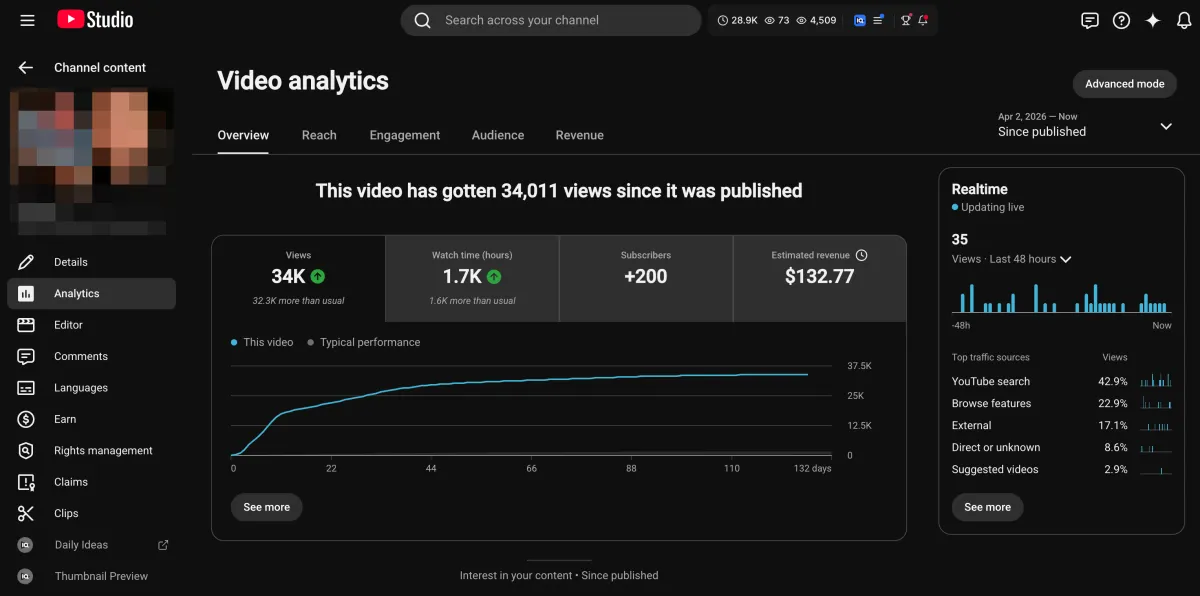
Learn how I turned a $132.77 video into $1000+ per month asset
Full case study on how you can replicate my success with YouTube SEO strategy.
Free downloadThe Zero Audience System
Build permanent YouTube income without a camera or an audience
The full methodology, 31 lessons plus bonuses. Limited spots.