Search "free YouTube SEO checker" and you'll land on a handful of tools that all do the same thing: paste in a title, description, and tags, get a score out of 100. Several of these tools, hosted on completely different domains, use nearly identical wording to describe themselves, "analyze your title, description, and tags against 30+ ranking factors," almost word for word. That's not a coincidence, it's the same underlying template deployed across multiple branded sites. None of that makes the scores useless, but it does mean a 94/100 tells you your metadata follows a formula. It doesn't tell you whether the video will actually rank or hold anyone's attention.
What Most Free Checkers Actually Check
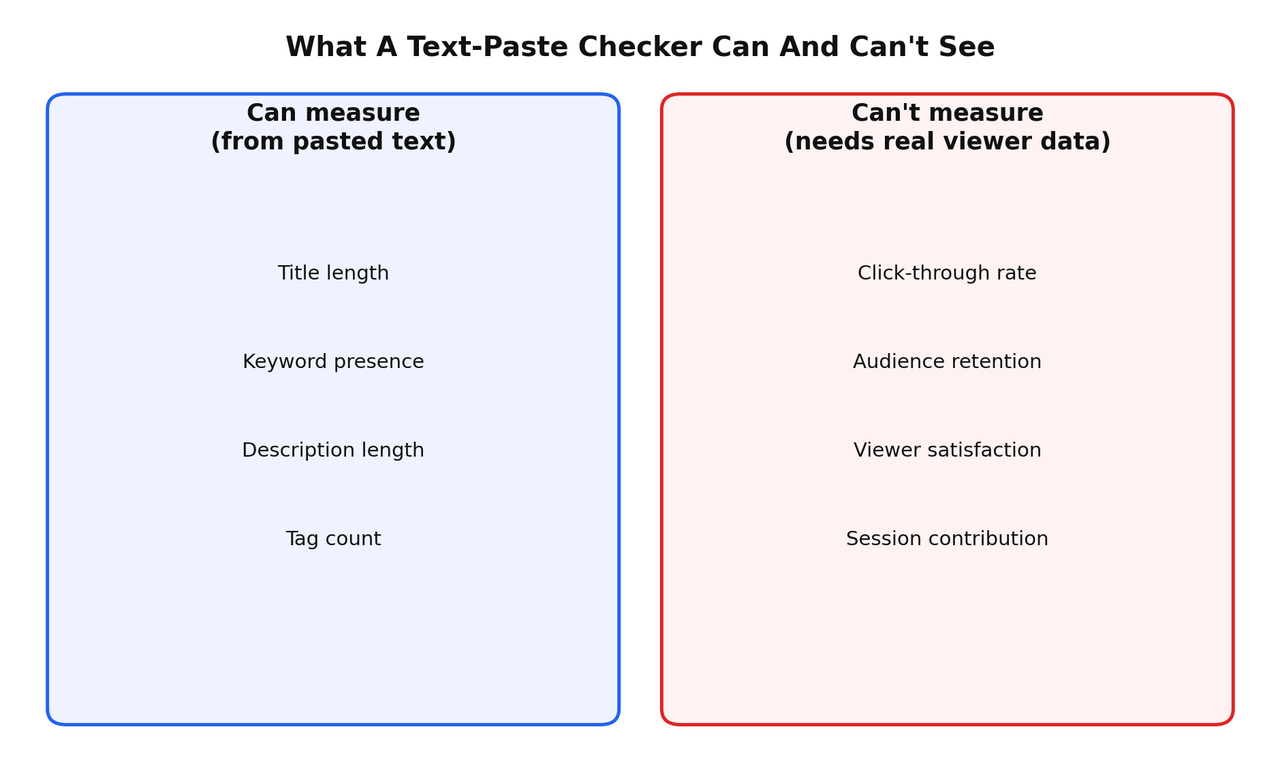
These tools genuinely do something useful within a narrow scope: title length against the roughly 60-to-70-character window that survives truncation, whether your target keyword appears in the title and description, description length, and tag presence. That's real, catchable, useful information, the kind of mechanical mistake worth catching before you publish.
It's also the entire scope of what a text-paste tool can measure. It has no access to your actual video, your channel's history, or how real viewers behave once they click. It's scoring a hypothetical, not a result.
What A 90+ Score Doesn't Tell You
Click-through rate, how often people who see your thumbnail actually click it, isn't visible from pasted text at all. Audience retention, whether people who click actually stay, requires watching real viewer behavior on a published video. Session contribution, whether your video keeps someone on the platform afterward, requires data none of these tools have access to. All three matter more to how YouTube actually treats a video than whether your description hits a target character count. A perfectly scored title on a video that loses most of its audience in the first thirty seconds will still underperform a messier title attached to a video people actually finish.
The One Free Checker Worth Using, And Why It's Different
vidIQ's free browser extension includes an SEO checklist that runs against your actual published video, not a hypothetical block of pasted text. It's checking real metadata attached to a real video with real performance data building up behind it, which is a meaningfully different thing than scoring text in isolation. It won't tell you your retention graph directly, but it's a genuine step closer to reality than a standalone text-paste scorer, and it's free.
What Actually Tells You If A Video Is Working
If the real question behind "SEO checker" is "how do I know if this video is actually doing well," the honest answer requires different tools than a metadata scorer. Views Per Hour, combined with whether a video's view history is climbing steadily or spiking and fading, tells you whether a topic is genuinely still in demand, a method I've broken down in full in the best free YouTube SEO analyzer in 2026. Your own retention graph, read as an editing tool rather than a report card, tells you exactly where a video is losing people and why, covered in YouTube SEO optimization techniques, the real truth. Neither of those requires pasting text into a hypothetical scorer. Both require looking at what a real, published video is actually doing.
A Better Way To Use A Metadata Checker
Use a free text-paste checker for exactly what it's good at: a two-minute sanity check before you publish, catching an oversized title or a description that's missing your core keyword entirely. Don't treat the resulting score as a prediction of performance, and don't spend twenty minutes tweaking a description to push a score from 82 to 96. That time is better spent tightening your first thirty seconds of footage, since that has a far larger effect on whether the video actually performs.
The Real Pre-Publish And Post-Publish Checklist
- Before publishing: run title and description through a free checker as a basic sanity check, not a scoring exercise.
- Before publishing: confirm your thumbnail has one clear focal point and nothing important sits in the bottom-right corner.
- 48 to 72 hours after publishing: check click-through rate in YouTube Studio relative to your channel's average.
- One week after publishing: check the retention graph for sharp drop-offs, and note them for your next video's editing.
- Ongoing: check VPH periodically to see whether the video is still gaining traction or has flattened out.
Only the first two items on that list come from a text-paste checker. The rest come from watching a real, published video's actual behavior, which is the part most tools calling themselves an "SEO checker" never touch.
Frequently Asked Questions
Are free YouTube SEO checker tools worth using at all?
Yes, for a quick pre-publish sanity check on title length, keyword presence, and description completeness. They're not worth treating as a measure of how well a video will actually perform.
Why do so many YouTube SEO checker websites look identical?
Several currently ranking tools use nearly identical descriptions and functionality across different domains, suggesting a shared underlying template deployed across multiple branded sites rather than genuinely independent tools.
Does a high SEO score guarantee a video will rank well?
No. These scores measure metadata formatting from pasted text, not the retention, click-through rate, or satisfaction signals that actually drive YouTube's ranking systems.
What's the most useful free way to check if a video is actually performing?
Check Views Per Hour alongside the video's view history pattern, and review the retention graph for specific drop-off points. Both use real data from a published video rather than a hypothetical text score.
The Actual Takeaway
A free metadata checker is a two-minute pre-publish habit, not a performance measurement. Use one to catch obvious mechanical mistakes, then close the tab and go check what your actual videos are doing once they're live. That's where the useful information has been the whole time.
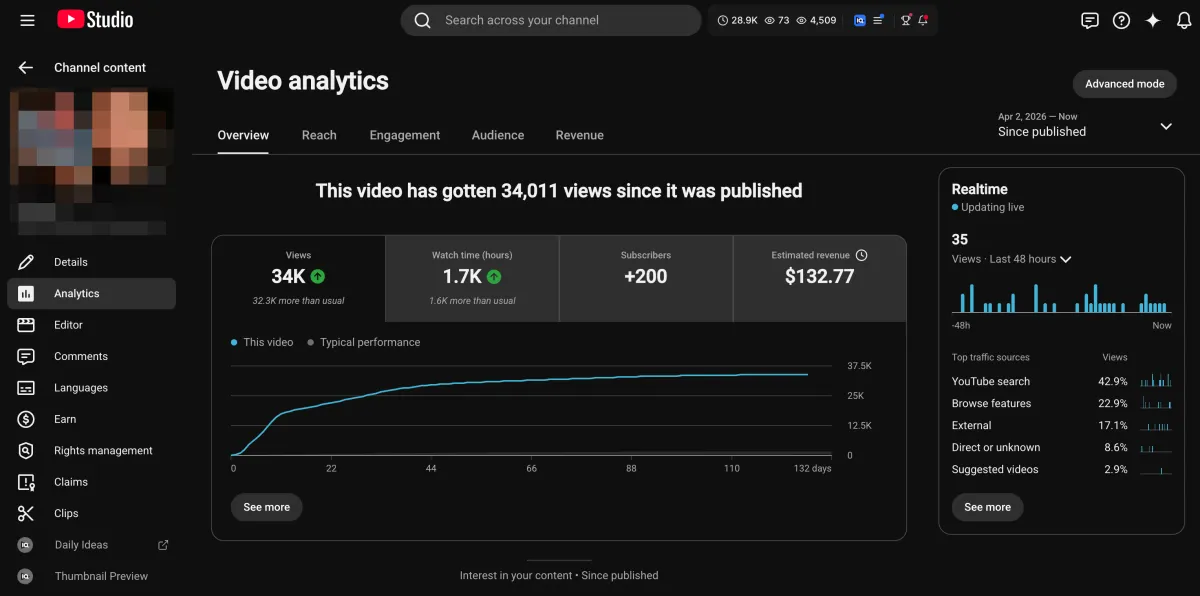
Learn how I turned a $132.77 video into $1000+ per month asset
Full case study on how you can replicate my success with YouTube SEO strategy.
Free downloadThe Zero Audience System
Build permanent YouTube income without a camera or an audience
The full methodology, 31 lessons plus bonuses. Limited spots.